

Skype will stop working on May 5, 2025, after more than 20 years of service. Microsoft, which owns Skype, plans to retire this popular calling app and focus on Microsoft Teams instead. If you use Skype, you’ll need to prepare now. In this guide, we’ll explain why Skype is closing, what it means for you, and how to switch to Teams—or try other options.
Skype’s Journey: From Boom to Bust
Skype started in 2003 and quickly changed how people talk online. For instance, it offered free video and audio calls, shaking up the old landline world. At its peak, Skype had hundreds of millions of users. In fact, “to Skype” even became a common phrase for video chatting. However, things shifted when Microsoft bought it in 2011 for $8.5 billion—a huge deal back then.
At first, Skype had about 150 million monthly users. But over time, newer apps like Zoom, FaceTime, and Google Meet took over. Why? They worked better on phones and felt easier to use. Meanwhile, Skype’s old tech couldn’t keep up. By 2020, its users dropped to 23 million, even after a small boost during the pandemic. Then, Microsoft launched Teams in 2017, and that became the new favorite.

Why Is Microsoft Closing Skype?
Microsoft isn’t shutting Skype down just for fun. Instead, they have clear reasons. Here’s why:
- Teams Takes Over: Teams now has 320 million monthly users. Plus, it works well with Microsoft Office tools, offering extras like meeting hosting and teamwork features.
- Changing Needs: During the pandemic, people wanted strong video call apps. For example, Zoom grew fast, but Skype didn’t shine as brightly.
- Simpler Focus: Running two similar apps is tricky. Therefore, Microsoft chose to boost Teams and let Skype go.
“We loved being part of Skype’s story,” Microsoft said recently. “It shaped how we connect, but now Teams is our future.”

What’s Next After May 5, 2025?
Skype stops completely on May 5, 2025. So, it won’t work on phones, computers, or anything else. However, Microsoft has a plan to help you:
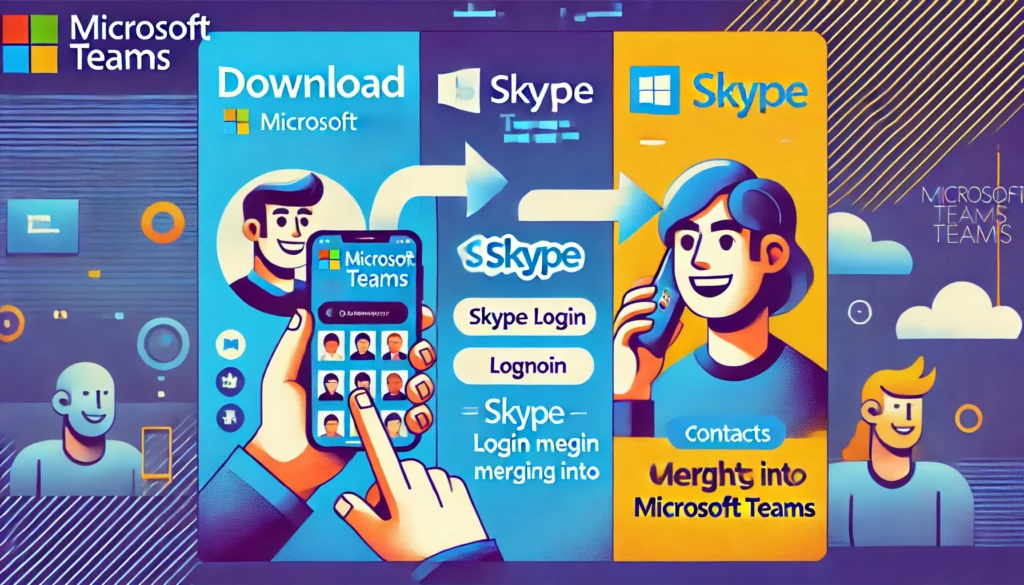
- Move to Teams: Soon, you can log into the free version of Teams with your Skype ID. Your chats and contacts will move over automatically.
- Stay Connected: Until May 5, 2025, Teams and Skype users can still call each other. This keeps everyone linked during the change.
- Save Your Stuff: Not joining Teams? Then, export your Skype chats and contacts before the deadline.
Also, paid Skype features like call credits are winding down. New users can’t buy them anymore. But if you have credits, you can use them until your plan ends. After that, the Skype Dial Pad will live on in Teams or the Skype website.
Why Teams Beats Skype
Teams isn’t just a backup—it’s better. For example, it keeps Skype’s basics like calls and chats. Plus, it adds cool stuff:
- Meetings: Host group calls or events.
- Calendars: Plan your day easily.
- Communities: Build groups for free.
Moreover, Teams has grown fast. In just two years, people spent four times more minutes in meetings on Teams. So, it’s ready for both home and work chats.
How to Switch to Teams
Switching is simple. Here’s how to do it:
- Get Teams: Go to the Microsoft Teams website and download it. It works on phones and computers.
- Sign In: Use your Skype login. Then, your chats and contacts pop up right away.
- Try It Out: Check Microsoft’s guide to learn more.
You can still use Skype until May 2025. So, there’s no rush—test Teams whenever you’re ready.
Other Options Besides Teams
Not into Teams? No problem. Here are some alternatives:
- Zoom: Great for easy, reliable calls.
- Google Meet: Simple and tied to Google tools.
- WhatsApp: Perfect for personal chats with security.
- Slack: Best for team projects.
Each one has its perks. So, pick what fits you best.
Goodbye, Skype: A Big Legacy
Skype’s end closes a huge chapter. It started a revolution in online calls and helped millions stay close. Now, it joins old apps like AOL Instant Messenger in history. But its ideas live on in Teams and beyond.
Microsoft says no jobs will be cut over this. Plus, they’re excited about Teams’ future. “We can’t wait to keep connecting people,” they added.
Get Ready Now
Communication keeps changing. And Skype’s exit proves it. Whether you choose Teams or something else, start planning today. Download Teams, save your Skype data, or try Zoom before May 5, 2025. That way, you won’t miss a beat.
Read More About Slack Down and Instagram Down & Whatsaap Down
Got questions? Leave them below, and let’s figure this out together!